 Fumidama
A desktop app for writing with AI
For proposals, specifications and drafts. Leave comments, discuss them with AI, and review what changed.
Creating with AI starts with putting ideas into words
AI can help create presentations, images, videos and websites. It needs your purpose and intent. Start with a short note or a reference image, and put your ideas into words.
Your brief and references
Introduce a new serviceWho is it for? What should they understand?
Slides
Images
Video
Websites
Better work starts with a better brief
Clarify the purpose, audience and message in words and references. Refining this foundation improves the work that follows.
First note
Audience
Anyone interested in improving their work.
Who are they, and what do they need?
A more useful brief
Audience
Team members and leaders who want to improve repetitive daily tasks.
A clearer audience makes the right explanation easier to find.
Chat alone makes it hard to keep refining an idea
Decisions get buried in conversations. Each answer introduces another draft. A request to change one passage can alter something else too.
Should we target executives?
Let’s focus on team members.
We wanted to keep the exercise.
Which answer holds the current plan?
Keep the current idea in one document, discuss specific passages, and follow its changes.
Keep your ideas in a document. Refine them in Fumidama.
From a comment to a discussion, and from a discussion to a revision. Keep improving the document.
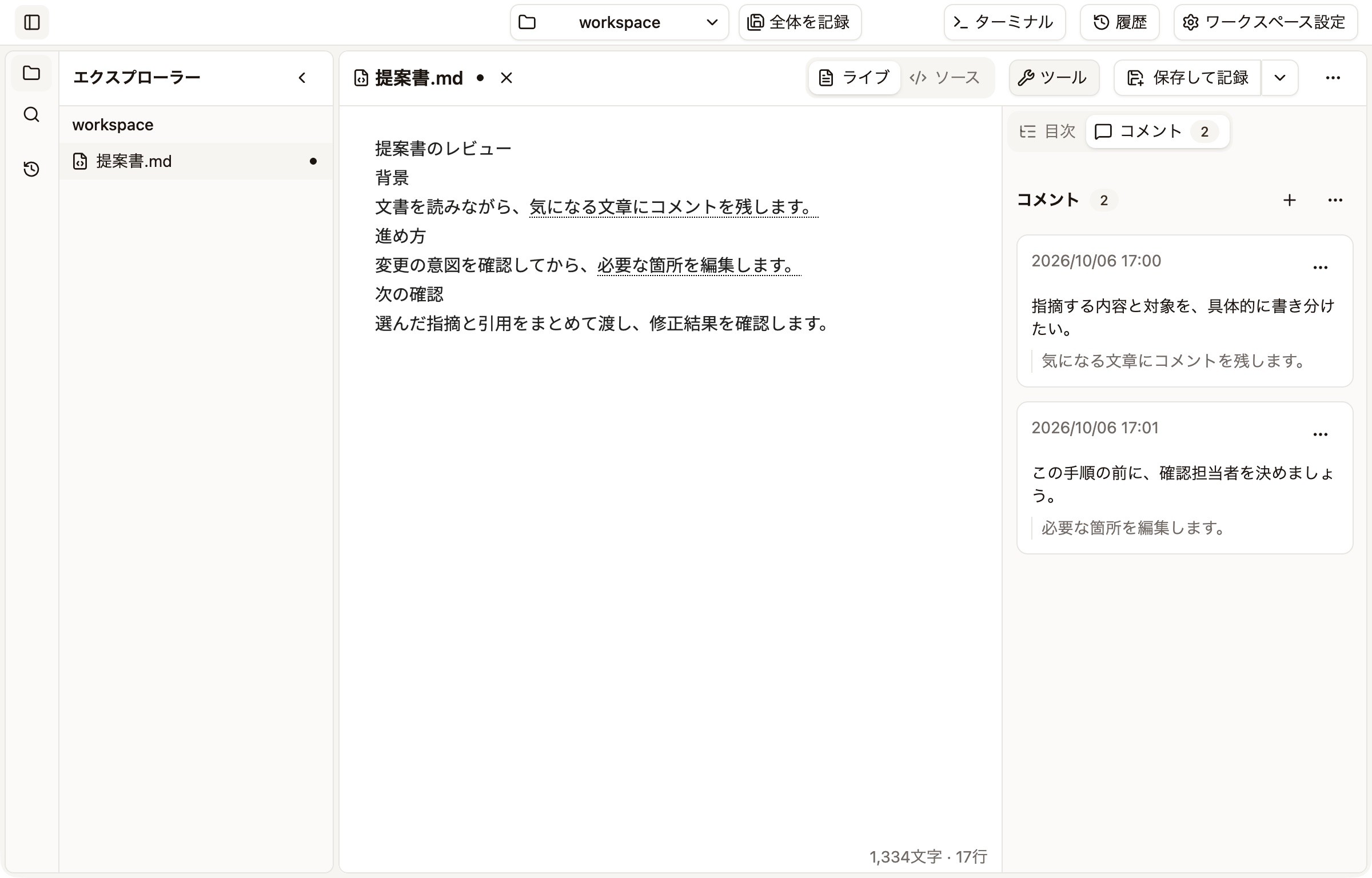
Leave a comment where it matters
Attach a question to a passage: “Can we be more specific about the audience?” The comment and its context become a starting point for discussion.
Discuss a direction before revising
Discuss each point with AI, then apply the agreed direction. You can explore a question before asking for changes.
Revisiting the same proposal
Agreed direction
Focus on team members and leaders. Keep a practical exercise they can try at work.
Revise the Audience and Program sections to reflect this direction.
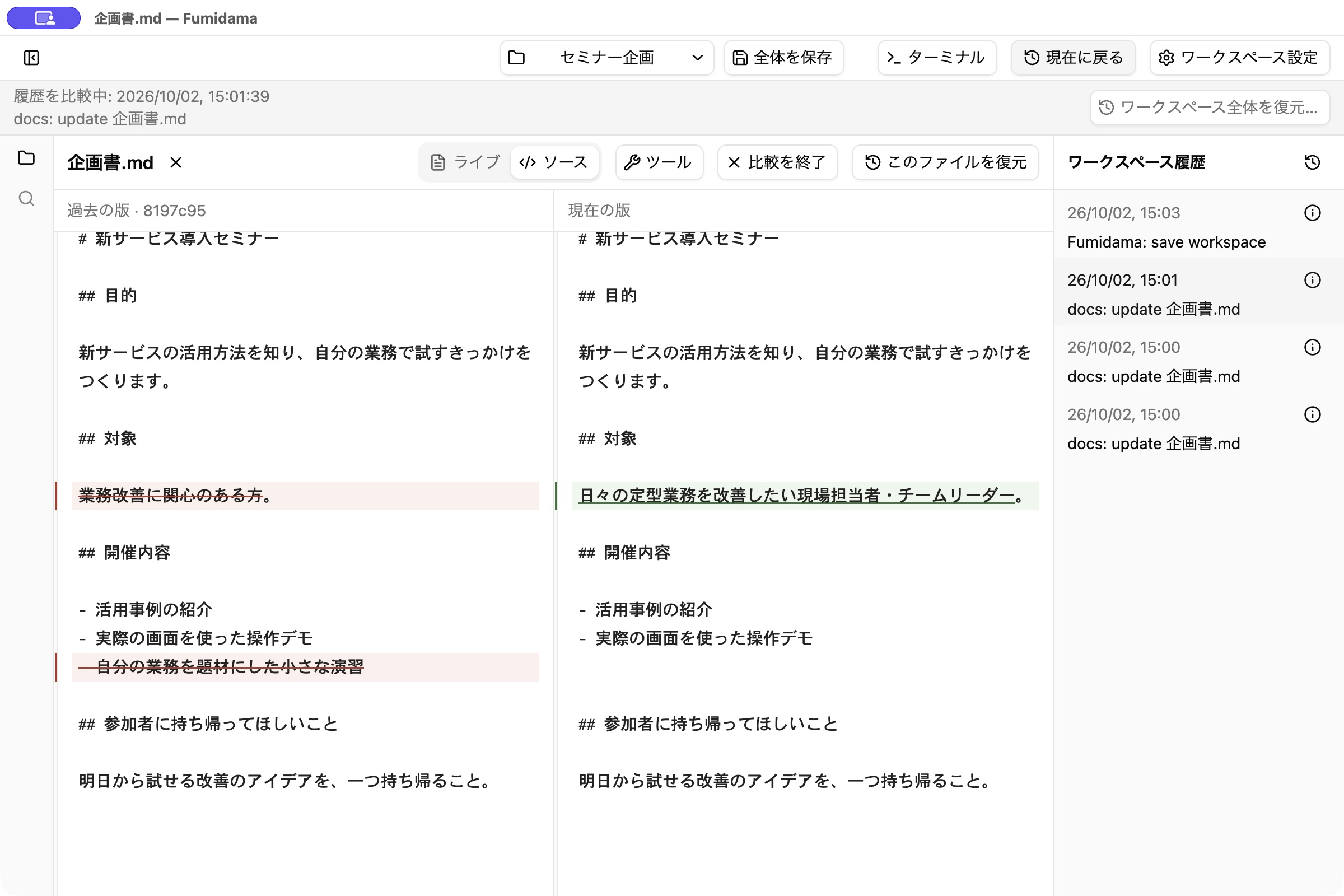
Use history to decide what to keep
Compare the revisions. Keep the clearer audience while reworking an exercise from an earlier version. Discuss the differences with AI and adjust the current document.
Get ready to write with Fumidama
Fumidama is available as an Alpha release. Check supported platforms and what you will need to get started.
To work with AI, install and authenticate your chosen external CLI separately. It is optional for writing and editing documents.